Allow-listing the EmailShot Add-on in Google Workspace
Updated on
If your Google Workspace Marketplace policy restricts add-on installs to an allowlist, follow the steps below to let users in your domain install and run EmailShot.
Recommended alternative: Install EmailShot domain-wide instead. This pushes the add-on to every user automatically — no individual installs needed.
Prerequisite: administrative access to your Google Workspace domain.
Steps to Allowlist the Add-on
- Log in to the Google Workspace Admin Console: Navigate to the Google Workspace Admin Console and sign in with your administrative credentials.
- Access the Google Workspace Marketplace apps Settings: In the Admin Console, go to the "Apps" section and select "Google Workspace Marketplace apps". Then, click on the "Apps list" tab.
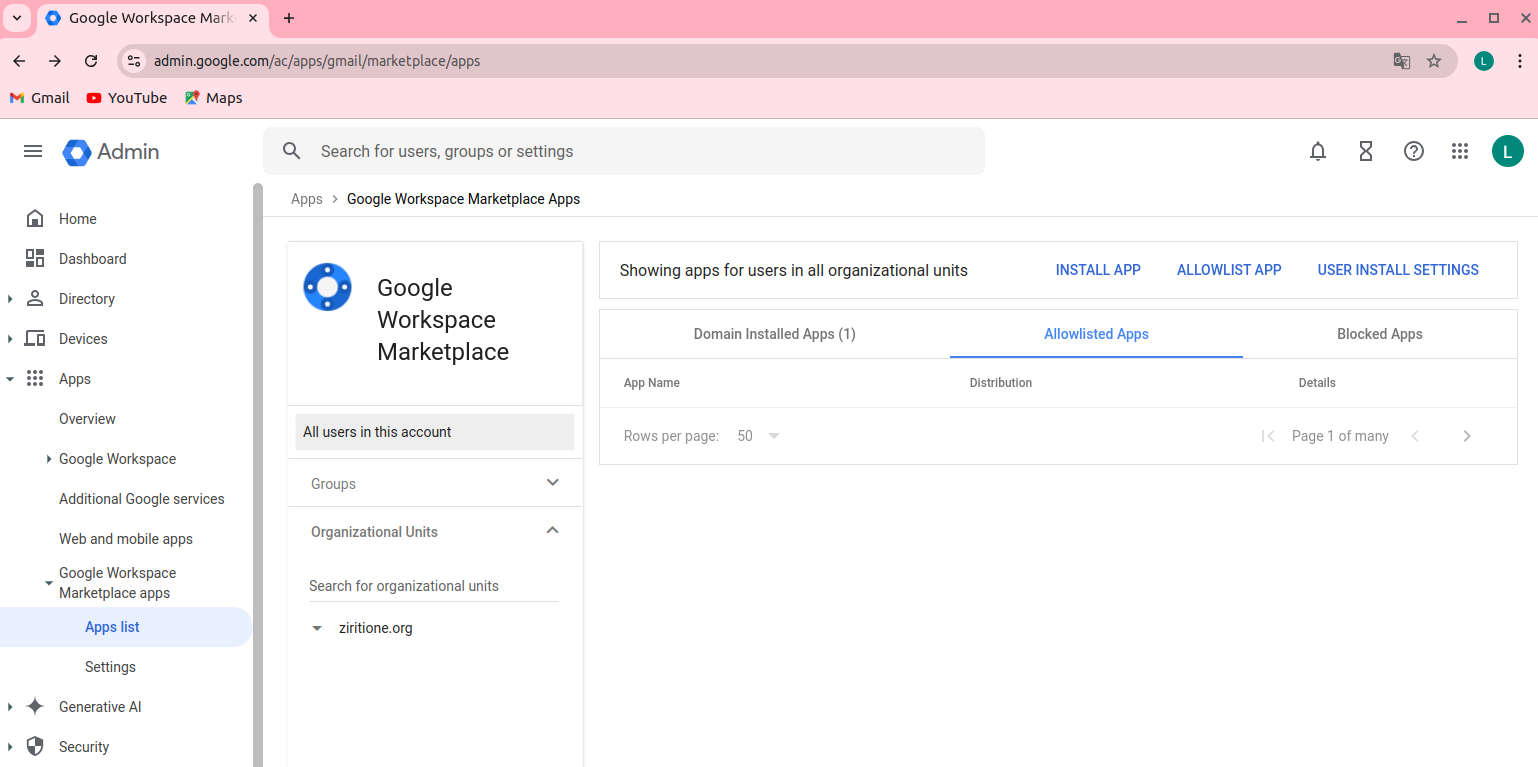
- Allowlist the Add-on: In the "Apps list" section, click on the "Allowlist App" button. Here, you can add the add-on's information to the allowlist.
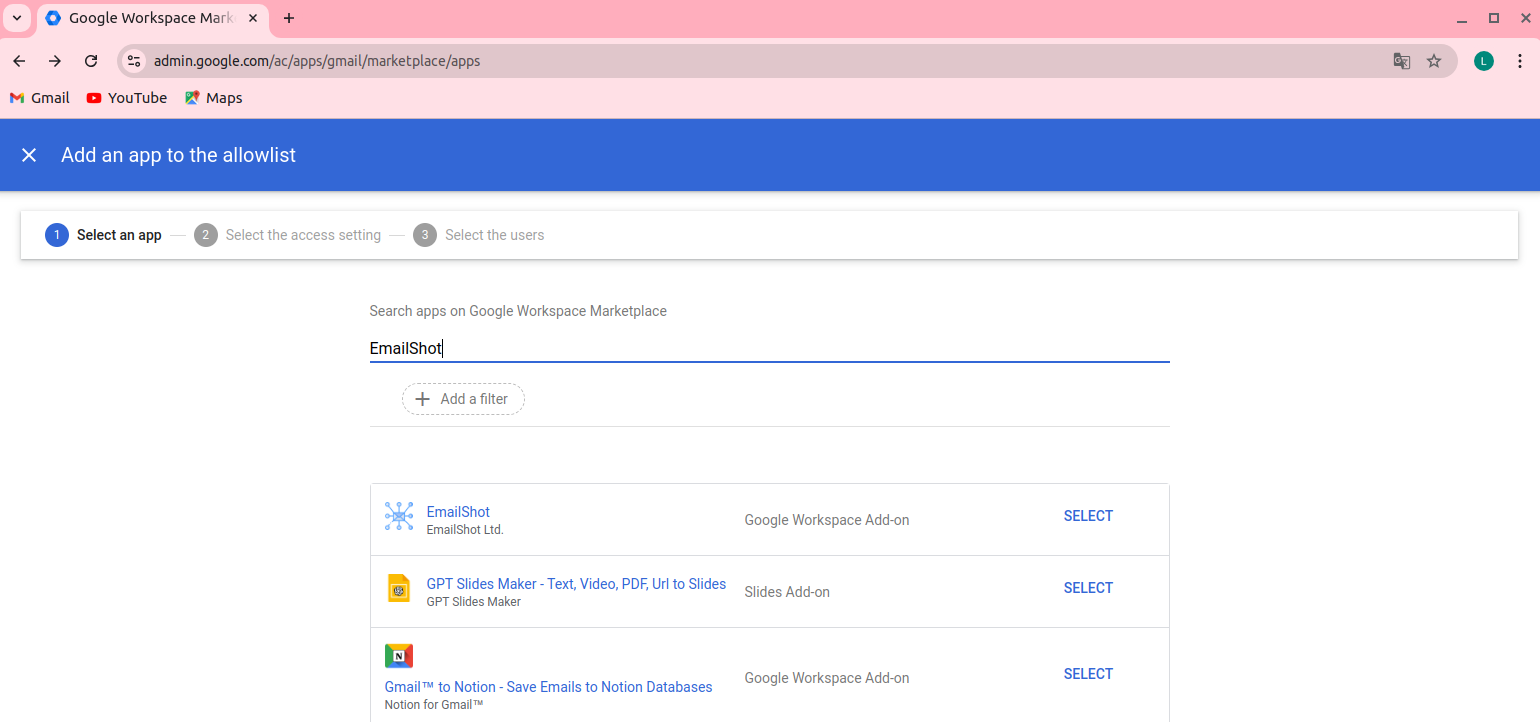
- Search for "EmailShot" in the search dialog and select it from the list
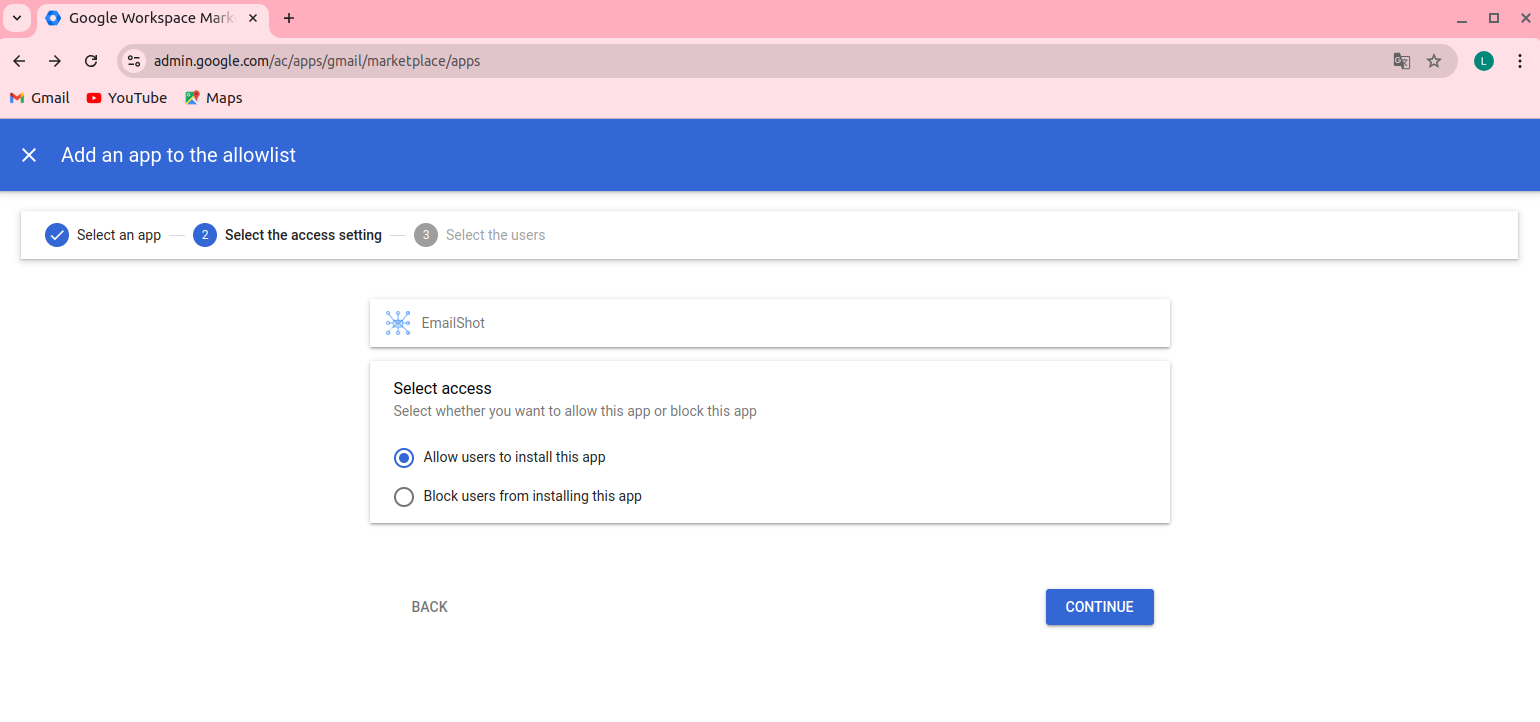
- In the "Select the access setting" screen, select the "Allow users to install this app"
- In the "Select the users" screen, select either "Everyone" or choose a specific group or organizational unit within your domain
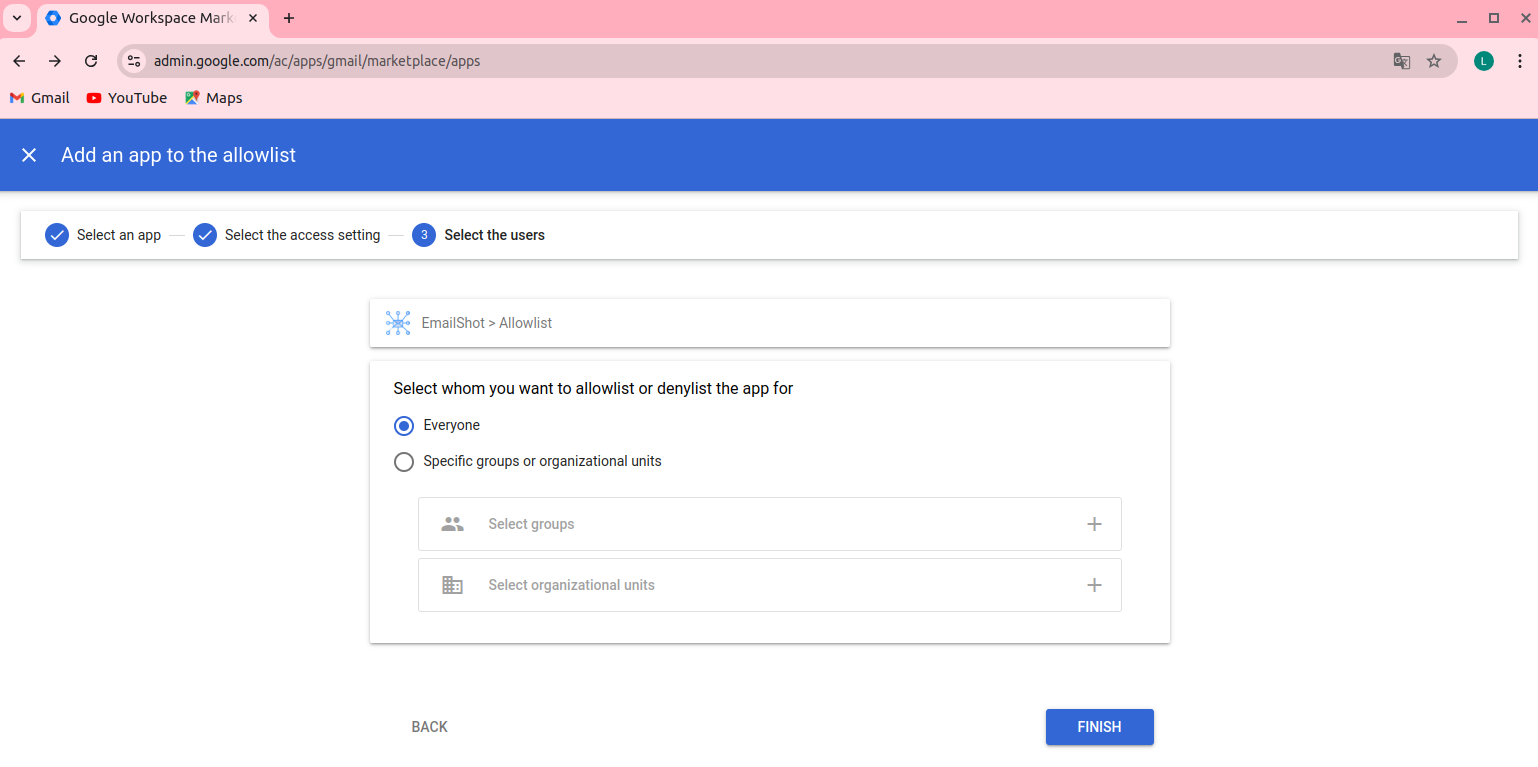
- Save the Changes by clicking "Finish" to apply the configuration.
Once complete, users in your domain can install and run EmailShot without any Marketplace restrictions.
References:
Other KB articles