How to Use AI to Learn Faster
- Gregor Ojstersek from Engineering Leadership <gregorojstersek@substack.com>
- Hidden Recipient <hidden@emailshot.io>

Hey, Gregor here 👋 This is a free edition of the Engineering Leadership newsletter. Every week, I share 2 articles → One paid edition and one free edition, with a goal to make you a great engineering leader! Here are some of the recent popular paid articles you might have missed: How to Use AI to Learn FasterAn adapted chapter from my upcoming book “The Multiplier Mindset”, published by O’Reilly.
This newsletter is sponsored by CodeRabbit. Fewer findings. Only real risks.
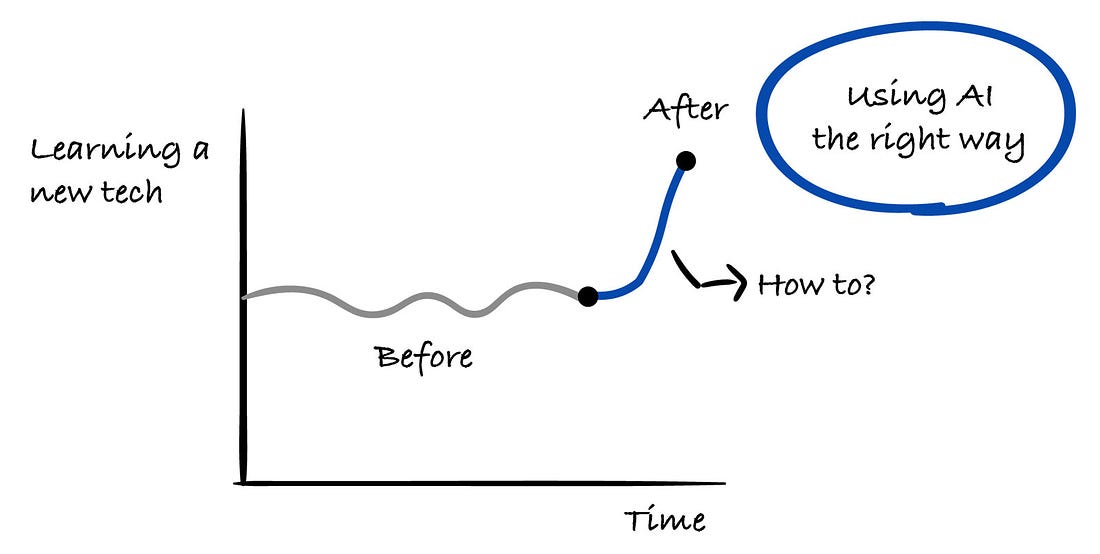
AI-generated code can introduce vulnerabilities that are easy to miss in a pull request. CodeRabbit Security continuously reviews your codebase for complex bugs and security risks, using full-codebase context to follow data flows, dependencies, and patterns beyond the latest diff. Run CodeRabbit Security on your own repositories today. Thanks to CodeRabbit for sponsoring this newsletter. Let’s get back to today’s thought! IntroAI is changing engineering faster than any tool before it ever has. In just a few years, we’ve gone from writing every line of code ourselves to seeing AI-assisted engineering as a standard way to build software. That shift has created a lot of uncertainty. Many people are asking themselves what skills will still be valuable, how the roles will evolve, and if relying on AI will help them grow or make them too dependent on it. But AI isn’t just a tool for writing code faster. It can also be one of the most powerful tools for learning. The key is knowing how to use it effectively. In this article, you’ll learn how high-performing engineers and engineering leaders use AI to learn faster. More importantly, you’ll learn the mindset behind these workflows. Let’s start! My upcoming book “The Multiplier Mindset” published by O’ReillyThis article is an adapted version of one of the chapters of my upcoming book called “The Multiplier Mindset”, published by O’Reilly. The book will be published soon, and is available for pre-order!
There are 3 Types of Engineering Professionals Using AI
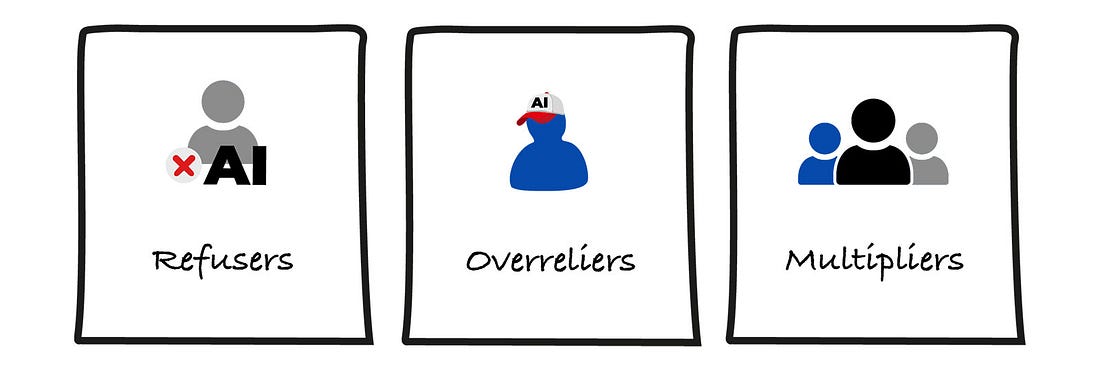
When it comes to using AI, most engineers and engineering leaders fall into 3 camps:
These are the engineers who refuse to use AI altogether because they don’t trust it. They tend to be more experienced people who have seen a lot of shifts in the industry. They are reluctant to change, preferring to stick to what they know and are good at. Their mindset is “It has worked well for me for 15 years, so why would I change it?” But this attitude can stop people from learning new things and improving their craft.
These are the people who rely on AI tools so heavily that they stop thinking critically and become less effective. They are often less-experienced engineers who have a good grasp of the AI tooling landscape. But their overreliance on AI tools often results in mediocre work. Worse, some don’t even check whether the AI output they’re using is aligned with the team’s standards! This forces reviewers to do the work of finding all the problems, which can take a lot more time than if the engineers had done the task properly right from the start.
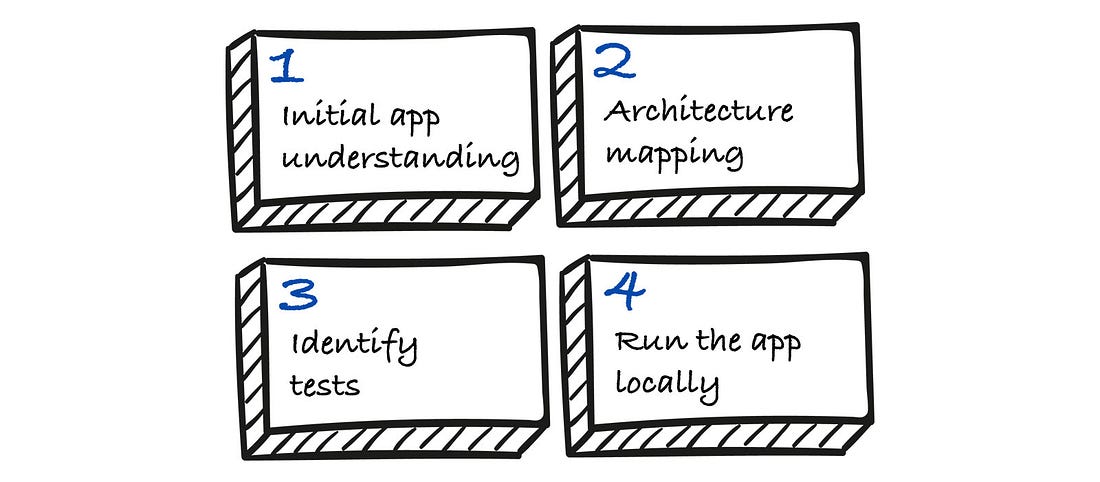
These are the engineers and engineering leaders who see AI as a way to multiply their efforts, not to replace their expertise. They use it to eliminate repetitive work, learn faster, explore more ideas, and spend more of their time on the problems where human judgment matters most. They are also the ones who have the greatest impact. You want to be in the multiplier camp: approaching the “fancy new tool” with curiosity, not unearned trust. You need to be keen to try out new things and learn but hold tight to good engineering fundamentals and practices. You should delegate your busywork, not your judgment calls. You should use AI to help you think at a higher level, because that’s what becoming an engineering multiplier is all about. The following sections look at how to multiply your impact on important tasks using AI. How Multipliers Use AI to Learn FasterTo learn new things significantly faster, you need a good understanding of engineering practices and the resourcefulness to leverage different resources to get what you need. Great engineers don’t spend hours trying to understand a codebase by going through it file by file or reading every word of the documentation. They use AI to help them quickly understand the unfamiliar parts of the codebase and get an overview of its architecture, APIs, and any other relevant things. Here are some examples. Onboarding to New CodebasesUsing AI can help you understand a codebase in hours. Jeff Morhous, a senior software engineer working in the healthcare industry, wrote a guest article on the Engineering Leadership newsletter about how he uses AI when he needs to work with a new codebase. He laid out a four-step process, which I summarize in this section.
Step 1: Use /init to get the big picture If the codebase already has a CLAUDE.md and/or an AGENTS.md file, read through them. If not, run Claude Code’s /init command. It will skim through the codebase and document its understanding of the most important features in CLAUDE.md. Use a higher-tier model when you run /init, even though it will cost you more tokens. Tokens spent on reasoning up front are tokens well spent. Using Plan Mode with a cheaper model like Sonnet, makes the plan more likely to overlook critical architecture or contain consequential mistakes. More reasoning-heavy models, by contrast, often come up with things you wouldn’t have thought of on your own. Step 2: Map the architecture It’s wise to produce a map of the repository early on to help you understand the system’s major components, responsibility boundaries, and dependencies. Here’s a prompt you can use to do this:
Step 3: Identify the testing strategy If you want to understand the test pyramid in your app and build confidence quickly, you should identify your app’s testing patterns right away. Here’s a prompt you can use for that:
Step 4: Run the app If you don’t already have the app up and running by now, you’ll want instructions. Ask for setup steps with this prompt:
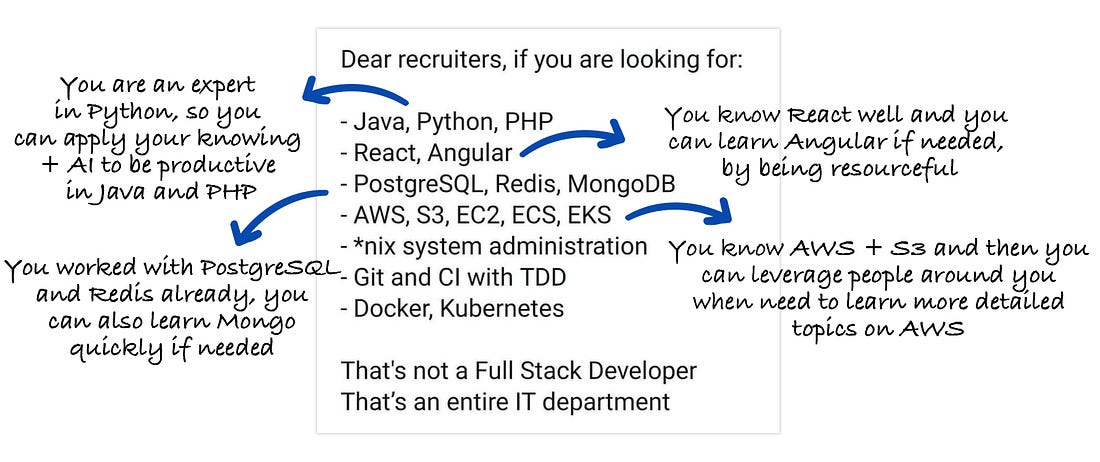
This should give you a single “happy path” setup that ends with a running service and a verification step. Learning a New Framework or Programming LanguageMore and more of the engineers I speak with are becoming tech-agnostic these days. The separation between frontend and backend continues to blur. The same holds true for different programming languages. If you are good at working with a certain technology, you likely have a good understanding of its engineering fundamentals and specific patterns. You can much more easily learn new tech using AI because the concepts are quite similar, while the syntax is different. If you are an expert in Python, you can apply your knowledge in combination with AI to be productive in Java and PHP, and the same goes for a lot of other programming languages and frameworks.
Once you have a good understanding of one specific tech, you can utilize AI to become good at others if you need to. For example, imagine you’re an experienced Python engineer who needs to work on a Java project. You start by giving AI the context about yourself. You can use a prompt like this:
As your next step, you can be more specific about the actual work that you do. If you’re joining a new project that uses Spring Boot, you might use this prompt:
From there on out, use AI while working to get explanations of unfamiliar code and review your code for potential mistakes. Building Hands-On ProjectsFor the past decade or so, watching a tutorial video has been the standard way to learn a new technology. Instead, try using AI to help you understand certain parts when you are building. Make sure to ask why certain things are the way they are. You can start much like you would if you were learning a new framework, except this time your goal is to learn by building. Let’s say you are an experienced React engineer and you want to get up to speed with Angular. You can start with this prompt:
This is where the plan mode of your favorite AI coding tool can come in handy. Review proposed plan and architecture, then start asking questions like this:
Then, I strongly suggest that you build the project one part at a time. Don’t just try to “one-shot” it and hope for the best. Use AI as a learning partner. If you see a pattern you don’t recognize, that’s when you should ask why that pattern is there, what the possible alternatives might be, and, of course, how that pattern relates to the concepts you already understand. Additionally, you can use AI to review your code. A prompt for this might look like the following:
The goal is for you to understand and learn, so don’t try to optimize for having AI write as much code as possible. Focus on the decisions about WHY certain code should exist and HOW it affects the whole system. How to Use AI as a Thinking PartnerConway’s law tells us that the structure of a software system mirrors the communication structure of the organization that builds it. Perhaps that’s why people in the software industry have to solve so many difficult problems that involve both tech and human beings. You can use AI as a thinking partner by prompting it to challenge your assumptions, provide alternatives, and identify what you’ve missed. Here are some ways to do that:
Last wordsLet’s end this article with the following:
So, use them to your advantage, especially to learn something new faster! You got this. Liked this article? Make sure to 💙 click the like button. Feedback or addition? Make sure to 💬 comment. Know someone that would find this helpful? Make sure to 🔁 share this post. Whenever you are ready, here is how I can help you further
Get in touchYou can find me on LinkedIn, X, YouTube, Bluesky, Instagram or Threads. If you wish to make a request on particular topic you would like to read, you can send me an email to info@gregorojstersek.com. This newsletter is funded by paid subscriptions from readers like yourself. If you aren’t already, consider becoming a paid subscriber to receive the full experience! You are more than welcome to find whatever interests you here and try it out in your particular case. Let me know how it went! Topics are normally about all things engineering related, leadership, management, developing scalable products, building teams etc. You're currently a free subscriber to Engineering Leadership. For the full experience, upgrade your subscription.
|







Similar newsletters
There are other similar shared emails that you might be interested in: